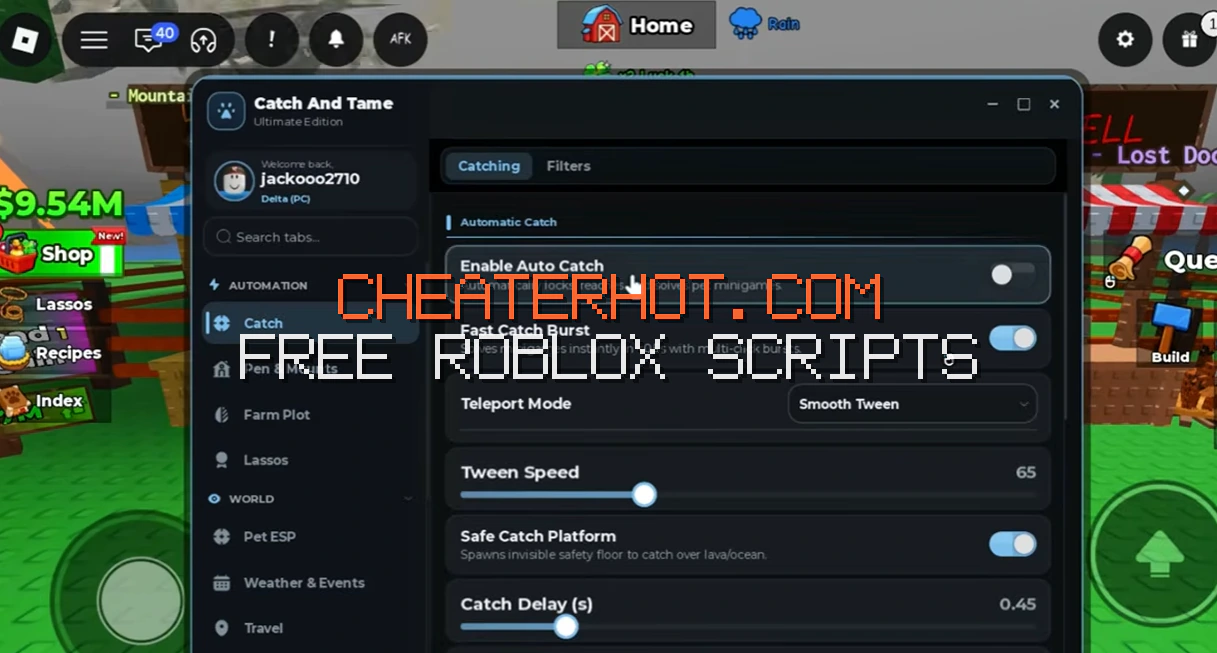
Looking for a working catch and tame script for Roblox? This guide covers verified keyless and keyed loadstrings, auto catch, auto tame, ESP and auto sell features, plus the best PC and mobile executors for 2026.
Looking for a working catch and tame script for Roblox? You're in the right place. The best Catch And Tame scripts in 2026 auto-catch and auto-tame creatures the moment you throw the lasso, detect rare spawns with ESP, auto-sell your pen and auto-buy upgrades — turning a manual click-fest into passive income. Every loadstring below is verified and labeled keyless or key-based, so you know exactly what you're running.
Catch And Tame! by Manta Games passed 462 million visits and ships a new update every 1–3 weeks — scripts often break after patches, so this guide tracks what works right now in 2026. You'll also find a step-by-step installation walkthrough, the best PC and mobile executors, and real answers about ban risks and key-system bait-and-switch traps.
What Is the Catch And Tame Script?
A catch and tame script is a Lua code snippet you run through a Roblox script executor to automate the grind in Catch And Tame!, a Simulation/Tycoon game by Manta Games. The official game (roblox.com/games/96645548064314) launched on November 2, 2025 and has grown to hundreds of millions of visits, regularly pulling in tens of thousands of concurrent players at peak. Servers hold a maximum of 5 players.
The core gameplay loop is simple but grindy: equip your lasso, catch roaming wild animals, complete the tap-to-fill taming minigame, carry the animal back to your pen (while other players can steal it), and earn passive money per second. You feed animals for luck, breed pairs to discover rarer species, upgrade lassos from the Basic Lasso (strength 10) through tiers like the Rancher's Rope ($100), and hunt biome bosses like the Magma Dragon (45-minute timer at Volcano Core) and the Yeti (20 minutes at Frost Peaks). With 100+ collectable animals across rarity tiers from Common up to Mythic and Secret, it's exactly the kind of grind scripts automate.
Key Features of Catch And Tame Scripts
Auto Catch and Auto Tame
The flagship feature of almost every hub. Auto Catch throws your lasso at nearby wild animals automatically, and the auto tame option completes the taming minigame for you. Purge Hub and Ouroboros both include dedicated Auto Catch and Auto Tame toggles. One honest limitation: a script can't catch what your lasso can't — if your lasso strength is too low for the target animal, auto catch will keep failing. Upgrade your lasso or target weaker animals first.
Auto Catch Best, Preferred and Rarity Filters
More advanced than plain auto catch: these modes filter targets by rarity tier (Legendary, Mythic, Secret) or only catch animals on your preferred list. Jager Hub advertises "Auto Farm Rarity" modes for Legendary and Mythic animals, while a popular open-source script circulating on script hubs lets you type a custom strength threshold and teleports you only to pets above it. This is the feature that saves you from filling your pen with Commons.
Auto Collect Money and Auto Sell
Your penned animals generate cash per second, even while you're offline — but while you're online, scripts can collect it the instant it spawns so nothing sits unclaimed. Auto Sell instantly sells pets or eggs (Jumantara Hub and Jager Hub both include it), which is amazing for grinding cash and slightly terrifying if you have rare animals in your pen. If a hub has a rarity filter for selling, use it — you don't want your Mythic getting sold by accident.
ESP and Teleport to Creatures
ESP draws outlines or highlights over animals, bosses, and event creatures through walls, so you can see a Hydra across the map instead of wandering the Swamp Depths blind. Some scripts pair ESP with auto-teleport to the strongest nearby pet, and Ronix Hub's listing specifically advertises "ESP Creatures" alongside Instant Catch. VinzHub includes a teleport straight to Sky Island — handy since event areas like Sky Island, Forgotten Depths, and Toy Island sit far from spawn.
Auto Farm Bosses and Event Farm
Biome bosses spawn on timers and drop rare loot, which makes them prime automation targets. Axon Hub lists AUTO BOSS, and Jager Hub includes a dedicated Auto Event Farm mode — especially valuable during limited-time events like the Backrooms event, the Fishing event, the Abyss area, or the September 2026 Toy Island update. Event farms typically loop the event minigame and collect rewards while you AFK.
Instant Catch and Free Gamepasses
Instant Catch skips the taming minigame entirely by firing the game's progress remote directly. Be careful here: the raw remote snippet (UpdateProgress:FireServer(100)) circulated since early 2026 is almost certainly patched — the server now validates progress, which is why hubs implement it internally instead. And a word on "Free Gamepasses" (advertised by Purge Hub): this is client-side only. It may show gamepass features unlocked on your screen, but it doesn't grant a real purchase and can desync or flag your session.
Roblox Pastebin Catch And Tame Script Code
Here are four verified loadstrings copied from real script repositories in 2026. Key status is noted for each — Manta Games' constant update cadence means a script working today can break after any weekly update, so always re-check before a long session.
Keyless Catch And Tame Script — Purge Hub (Auto Catch GUI)
The most cross-listed hub for this game: 7,000+ views across script directories since February 2026, genuinely keyless, with Auto Catch, Auto Catch Best, Auto Catch Preferred, Auto Lasso, Auto Collect, and Free Gamepasses. Purge is maintained and typically patched quickly after game updates.
loadstring(game:HttpGet("https://raw.githubusercontent.com/x7dJJ9vnFH23/Maintained-Fun/main/FUNC/NewLoader.lua", true))()Keyless Catch And Tame Script — Ouroboros Hub
Added to community lists on August 15, 2026. Fully keyless with Auto Catch, Auto Place, Auto Collect, Auto Feed, Infinite Jump, and Fly — a solid pick if you hate key systems. Mobile and PC supported.
loadstring(game:HttpGet("https://raw.githubusercontent.com/joustingmatch/Ouroboros/main/loader.lua"))()Keyless Pastebin Script — Vounders Hub
A straightforward keyless option hosted on Pastebin with a clean GUI covering Auto Farm, Auto Collect, and Auto Sell. Because it's a plain Pastebin raw link, the code behind it can be swapped by the author at any time — that risk applies to every loadstring, but it's worth remembering.
loadstring(game:HttpGet("https://pastebin.com/raw/t4jHXkEH"))()Keyed Catch And Tame Script — Axon Hub
Axon runs on the Luarmor key/licensing platform, so you'll complete a key system before the GUI opens. In exchange you get FIND BEST PETS, AUTO COLLECT CASH, AUTO BOSS, and MYTHIC targeting — and Axon advertises 60+ supported games with 800+ features, so one key covers much of your library.
loadstring(game:HttpGet("https://api.luarmor.net/files/v3/loaders/97c3f6db55a2cf72141537a85458e5a7.lua"))()Other verified options worth knowing: Jager Hub (Best Auto Catch, Auto Farm Rarity, Auto Event Farm, Auto Sell) via its GitHub loader and Jumantara Hub for Auto Sell and event farming. Always verify key status yourself: the "Keyless Hub for Cat" was keyless "for 1 week only," some listicles call Symbiote keyless even though script directories mark it "[KEY NEEDED]," and some blogs list a Luarmor loader as "No Key" even though Luarmor is a key platform.
If you'd rather avoid hubs entirely, there's a well-liked open-source, no-key script circulating in the community with auto catch, custom-strength pet teleport, a Forgotten Depths loader, and a Weather Notifier that sounds an alert when boss-spawning weather rolls in. Its author openly states it was AI-assisted, so treat it as unaudited code — the same caution every loadstring deserves.
How to Use the Catch And Tame Script — Step-by-Step Installation Guide
- Download a script executor. Pick a trusted one for your platform (recommendations below) and install it only from the official site — never from a YouTube link or "script EXE."
- Join Catch And Tame! Open Roblox, load the game (roblox.com/games/96645548064314), and wait until you're fully spawned in with your lasso. Executing too early is the #1 reason the GUI never shows up.
- Attach/inject the executor. Click Attach (or Inject). Wait for the confirmation message before continuing — on Android, grant overlay permission if prompted.
- Paste the loadstring. Copy one of the scripts above and paste it into the executor's editor.
- Execute. Hit Execute and give it a few seconds. The hub GUI should appear on screen.
- Enable features gradually. Turn on Auto Catch first, watch it work, then add auto tame, auto collect, or rarity filters. Start slow — firing every feature at once right after an update is how scripts crash.
Best Executors for the Catch And Tame Script
On PC (Windows): Solara is the top free keyless pick in most 2026 roundups, Delta offers a free tier with a daily key and full UNC support, and Xeno is a lightweight beginner-friendly option. Fluxus (free with key) and Wave (free/paid tiers) are solid alternatives. One warning: older guides constantly recommend KRNL, but multiple 2026 sources mark it as discontinued — and fake "KRNL" mirrors are a common malware trap. Likewise, Synapse X was sunset years ago; any site selling it today is selling branding, not a product.
On mobile: Delta (Android and iOS) is the default recommendation in nearly every 2026 mobile guide, with Arceus X Neo (keyless tier) as a strong keyless alternative on both platforms. Android users can also run Fluxus or Hydrogen; iOS users can try Codex or Vega X. Keyless scripts matter more on mobile — grinding a key system through link shorteners on a phone is genuinely painful. On Mac, MacSploit is essentially the only real option.
Tips for Safe and Effective Script Usage
- Never script on your main account. Scripting violates Roblox's Terms of Use and bans range from temporary to permanent. Progress made with scripts can be rolled back with the account.
- Use an alt account and keep sessions short rather than AFK-farming overnight — long, inhuman play patterns are exactly what moderation flags.
- Run one script at a time. Stacking two hubs in one session causes crashes and doubles your detection surface.
- Prefer maintained hubs after updates. Manta Games patches the game every 1–3 weeks; hubs like Purge and Axon advertise fast compatibility fixes, abandoned Pastebins don't.
- Avoid link shorteners. YouTube scripts routed through ad-link shortener funnels monetize you and sometimes harvest data. The keyless hubs above need none of that.
- Never download a "script" as an .exe. Real Roblox scripts are Lua text pasted into an executor. Any downloadable "script application" is a classic trojan vector — VirusTotal anything you do download.
- Set sell filters before enabling Auto Sell so your rare pets aren't liquidated for quick cash.
Troubleshooting Common Issues
The script does nothing after executing
Most often the executor itself is outdated — Roblox patches break injectors weekly, so update the executor first. Then make sure the game fully loaded before you attached; re-inject after spawning in. On Android, check overlay permission. If everything is current and it still dies silently, the script is probably broken by a recent game update — check the hub's Discord or listing page for a patch.
The GUI doesn't appear
This is almost always an injection timing problem: the script ran before your character and the world finished loading. Wait until you can see your pen and your lasso, then execute again. If the GUI opened on a previous session but not now, the executor's UI cache may be stale — restart both Roblox and the executor.
Auto catch has no effect
Check your lasso strength before blaming the script. The Basic Lasso caps at strength 10, so auto catch will whiff on stronger animals no matter how good the script is — buy a better lasso or target weaker spawns first. Also stand near animal spawns; some modes only scan a limited radius. If it worked yesterday and stopped today, the feature was likely patched server-side — wait for a hub update.
The script broke after a game update
Normal, and it will keep happening: Manta Games ships an update with new codes roughly every 1–3 weeks (the Toy Island update landed September 25, 2026, hot on the heels of Backrooms, Fishing, and Steampunk events). When a script dies after an update, don't download a "fixed" script from a random comment — use a maintained hub and wait for the official patch. Purge and Axon historically patch within days.
Frequently Asked Questions
Do catch and tame scripts really work?
Yes — with an important caveat: only updated ones do. The core automation features (auto catch, auto tame, auto collect, rarity filters) are client-side and work reliably in 2026. What breaks constantly is game compatibility, because Manta Games updates every 1–3 weeks. A script praised in a February video may be dead by October. Stick with maintained hubs like Purge, Ouroboros, or Axon, and treat outdated "working 100%" video claims with suspicion.
Can I get banned for using a catch and tame script?
Yes, and no honest source can promise otherwise. Scripting violates Roblox's Terms of Use, and economy-critical actions in this game are validated server-side, which is why instant-catch remotes get patched. Reported outcomes range from nothing at all to temporary suspensions and permanent bans for repeat use. Mitigate the risk: use an alt account, never your main; keep sessions short; avoid blatant behavior like flying across the map in front of others. There is no "100% undetectable" script — anyone selling that is lying.
Do I need a script executor, and which one should I use?
Yes — the Lua code can't run inside Roblox by itself; an executor injects it into the game process. On PC, Solara (free, keyless) and Delta (free, daily key) are the most recommended in 2026, with Xeno as a lightweight alternative. On mobile, Delta works on both Android and iOS, and Arceus X Neo offers a keyless tier. Avoid KRNL — it's widely listed as discontinued — and only download executors from their official sites, since fake mirrors are a major malware source.
Does the catch and tame script work on mobile?
Most of the time, yes. All major hubs advertise PC and mobile support, and the loadstrings above run fine on Android and iOS executors. Mobile guides consistently point to Delta and Arceus X Neo. The mobile experience is worse in one specific way: key systems. Grinding a link-shortener key on a phone is miserable, so mobile players should strongly prefer the genuinely keyless options — Purge, Ouroboros, or Vounders — over keyed hubs like Axon or VinzHub.
Will auto sell delete my rare or secret pets?
It can, if you enable it blindly. Auto Sell features (in Jumantara, Jager, and similar hubs) typically sell everything in your pen or inventory at once. Some hubs offer rarity filters for selling — configure those first so only Commons and unneeded pets get liquidated. Community reports of players losing Mythics to a misconfigured auto sell are common enough that this is the single most important setting to check before you AFK with the script running.
Are the "free gamepasses" features real?
No — not in the way players hope. "Free Gamepasses" is a client-side visual unlock: the gamepass features appear enabled on your screen, but the purchase was never made server-side. That means it can desync, fail when the server re-validates, or vanish when you rejoin. It won't charge your account, but it also won't survive a server check. Treat it as a cosmetic trick, not an actual unlock, and never pay anyone for a script promising "real" free gamepasses.
Conclusion
The catch and tame script scene in 2026 is active and full of options — genuinely keyless hubs like Purge and Ouroboros cover auto catch, auto tame, rarity filtering, and auto collect, while keyed platforms like Axon add boss farming and mythic targeting for players willing to grind a key. Pair one with a current executor, respect the update cycle, and you'll automate the pen-grind without touching a link shortener. Just keep expectations honest: scripts break every few weeks when Manta Games updates, server-side validation kills cheaty remotes, and bans are always possible — so script on an alt, never your main.
We'll keep this page updated as new hubs release and old ones die after each update, so bookmark it before your next session.